DCAA Adequacy Standards for Government Contractors

DCAA adequacy standards

DCAA defines adequate internal controls as your ability to ensure costs charged to government contracts are accurate, allocable, and allowable under FAR Part 31 cost principles. Your controller might have 20 years of public accounting experience, but if your system allows unallowable costs to flow into government contract cost pools, you fail the adequacy test.

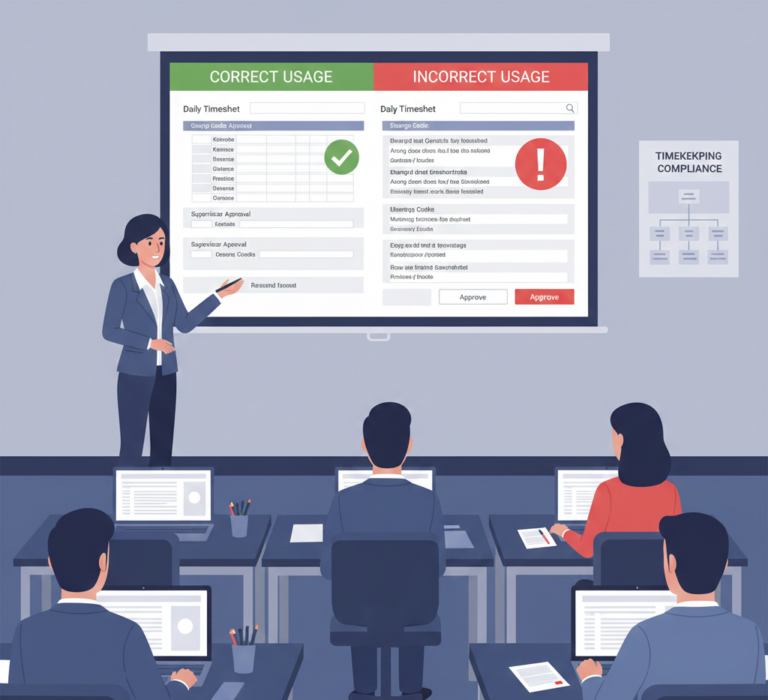
The most expensive mistake I’ve seen contractors make involves timekeeping system integration. Companies invest in enterprise resource planning systems costing hundreds of thousands of dollars, then discover their timesheet data doesn’t properly interface with job costing modules. Employees record time against contracts, but the system lacks capability to track time to specific contract line items or distinguish between direct labor, fringe benefits, and overhead labor. When DCAA auditors examine your timekeeping systems, they’re not just checking whether employees submit timesheets—they’re verifying your system can prove that every dollar of labor charged to government contracts is properly supported, allocated, and segregated.

Labor distribution failures represent another systematic problem. Contractors frequently maintain timesheet systems showing employees worked on Contract A, but their accounting systems distribute costs using allocation percentages rather than actual time records. This violates the fundamental requirement that costs must be accumulated and allocated based on actual causal or beneficial relationships. The disconnect between timesheet data and cost accounting distributions creates presumptive noncompliance requiring contractors to prove cost allocations reflect actual work performed.

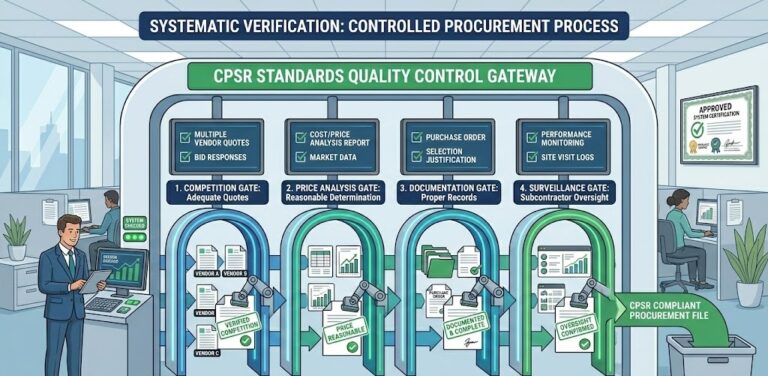
Indirect cost pool contamination destroys accounting system adequacy faster than any other violation. I’ve watched contractors lose millions because their systems allowed unallowable costs—executive compensation exceeding statutory limits, entertainment expenses, lobbying costs—to flow into overhead pools allocated to government contracts. Your system must have automated controls preventing unallowable costs from contaminating indirect rate calculations. Understanding DCAA compliance requirements means building systemic controls preventing compliance failures rather than detecting problems after they occur.

Five Critical Steps to Accounting System Adequacy

Step 1: Implement Real-Time Job Cost Accumulation Your accounting system must accumulate costs by contract, project, and cost objective in real-time as transactions occur. Waiting until month-end to distribute costs violates the fundamental requirement for accurate job costing. Deploy systems capturing direct labor, materials, subcontract costs, and other direct costs at the transaction level with immediate posting to appropriate contract cost objectives. This isn’t about monthly closing procedures—it’s about building transaction-level controls ensuring every cost hits the right contract bucket when it’s incurred.

Step 2: Create Automated Unallowable Cost Segregation Build chart of account structures with specific classifications for expressly unallowable costs under FAR 31.205 provisions. Configure your system to automatically flag transactions meeting unallowable cost criteria—entertainment expenses, lobbying costs, executive compensation exceeding limits, bad debts, interest expenses beyond allowable amounts. The key is prevention, not detection. Your system should prevent unallowable costs from flowing into indirect pools before costs get distributed to government contracts. Manual review after the fact is too late.

Step 3: Deploy Integrated Timekeeping and Job Costing Systems Eliminate any disconnect between how employees record time and how your accounting system distributes labor costs. Your timekeeping system must feed directly into job costing modules with zero manual intervention or allocation percentage application. If an employee records 8 hours on Contract A, your accounting system must charge exactly 8 hours of that employee’s labor rate to Contract A—no exceptions, no allocations, no statistical distributions.

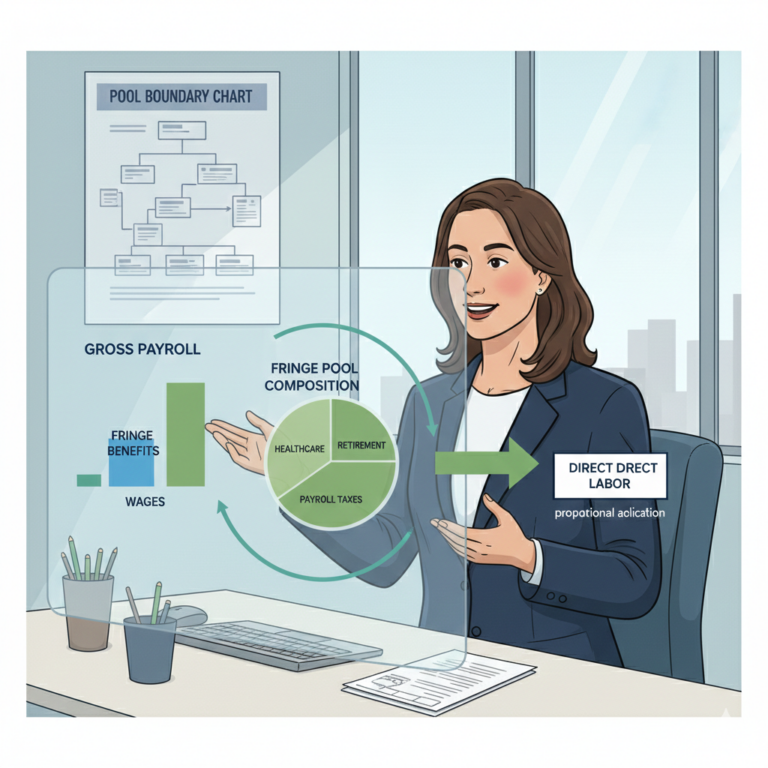
Step 4: Establish Indirect Rate Calculation Controls Implement automated indirect rate calculations that update continuously as costs accumulate throughout accounting periods. Your system should calculate overhead rates, fringe benefit rates, and G&A rates based on current year-to-date actuals providing accurate billing rates for government contracts. Include systematic controls ensuring provisional billing rates don’t exceed government-approved ceilings and automated alerts when actual rates trend above provisional rates requiring immediate contracting officer notification.

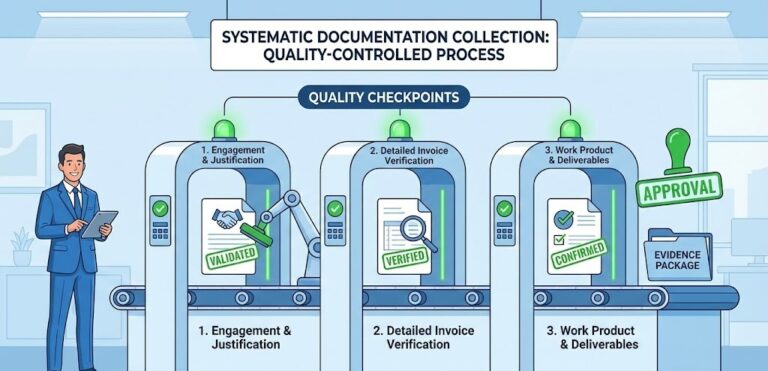
Step 5: Create Comprehensive Audit Trail Capabilities Build transactional audit trails maintaining complete history of all accounting entries from source documents through financial statement presentation. DCAA auditors will trace individual costs from employee timesheets through payroll processing, overhead allocation, and final invoice billing. Your system must enable this traceability without requiring manual reconstruction or supplemental documentation development. The audit trail isn’t an afterthought—it’s a fundamental system requirement demonstrating accounting system adequacy.

Understanding the Federal Compliance Landscape

DCAA accounting system adequacy requirements apply uniformly across all Department of Defense contracts and extend to civilian agency contracts through FAR Part 31 cost principles. There’s no geographic variation—contractors in California face identical requirements as contractors in Virginia, Texas, or Massachusetts. The 18 system criteria under DFARS 252.242-7006 create national compliance standards eliminating contractor ability to leverage favorable local interpretations.

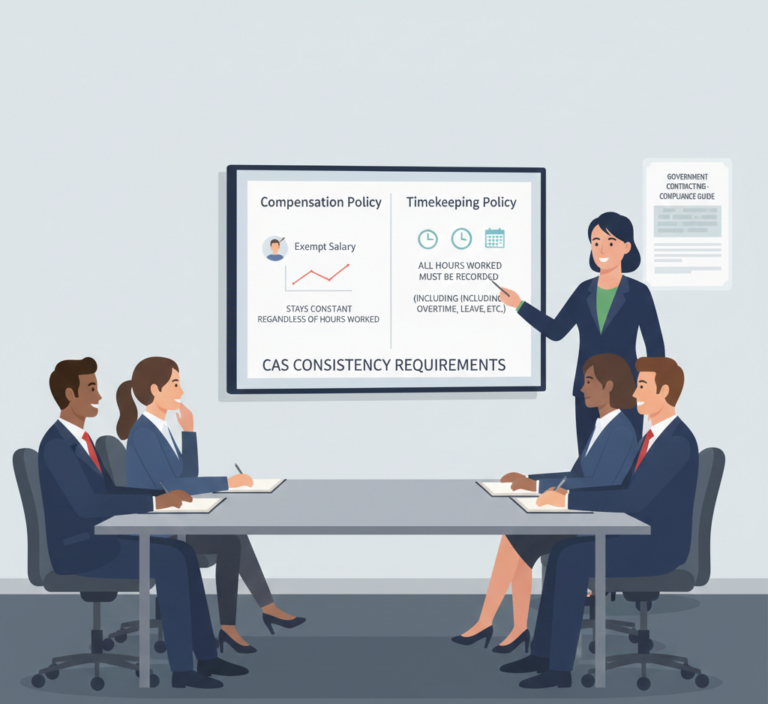
Multi-location contractors face particular scrutiny because accounting systems must maintain consistency across all facilities while properly segregating costs by location, contract, and organizational structure. Your Portland facility and your Arlington facility must use identical cost accounting methodologies with system-enforced consistency preventing local variations that violate CAS 401 consistency requirements.

Let Me Show You How to Fix This Before It Costs You

The accounting system adequacy landscape represents permanent intensification in DCAA enforcement methodology. The agency’s 2025 audit strategy explicitly prioritizes accounting system evaluations for all contractors with cost-reimbursable contracts or proposals requiring certified cost or pricing data. This isn’t a temporary compliance focus—it’s the new permanent standard.

Contractors maintaining proactive accounting system compliance demonstrate approval rates 89% higher than contractors attempting reactive system corrections after DCAA identifies deficiencies. The compliance investment generates immediate returns through sustained billing authority, competitive advantage in source selection, and eliminated risk of multi-million dollar billing restrictions.

Your accounting system isn’t just back-office infrastructure—it’s your contract performance engine enabling government billing authority and competitive positioning. Treat it like the mission-critical asset it is, or watch competitors with compliant systems capture market share while you explain billing restrictions to your bank.

For contractors ready to implement compliant timekeeping and cost accounting systems, Hour Timesheet provides DCAA-compliant solutions designed specifically for government contractor requirements. Our platform delivers the integrated timekeeping and job costing capabilities DCAA demands with automated controls preventing the compliance failures that cost contractors millions.

Additional Resources

Related Hour Timesheet Articles:

Official Regulatory References:

DCAA Compliant Accounting Systems for Government Contractors

dcaa compliant accounting systems

If your business is pursuing or currently holds government contracts, you’ve likely encountered the term “DCAA compliant accounting systems.” Understanding and implementing these systems isn’t just a regulatory checkbox—it’s essential for maintaining contract eligibility, ensuring accurate billing, and protecting your business from costly audit findings.

At Hour Timesheet, we work closely with government contractors every day, and we know that achieving DCAA compliance requires more than just good timekeeping software. It requires a comprehensive approach that includes proper accounting systems, processes, and expert guidance.

What Are DCAA Compliant Accounting Systems?

DCAA compliant accounting systems are financial management systems that meet the stringent requirements set by the Defense Contract Audit Agency (DCAA). The DCAA is responsible for auditing Department of Defense (DOD) contracts and ensuring that contractors maintain adequate accounting systems.

These systems must demonstrate:

  • Proper segregation of costs between direct and indirect expenses
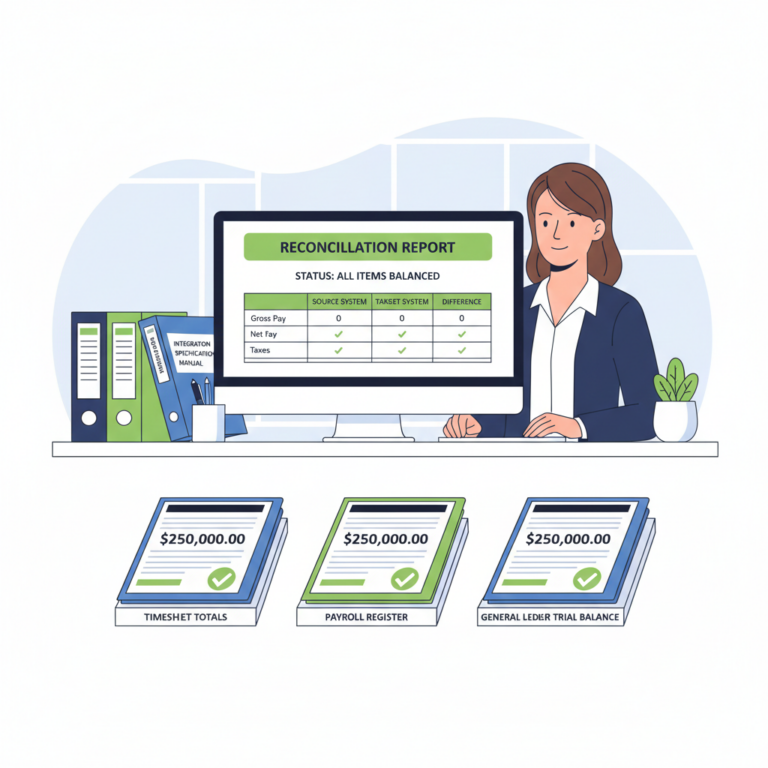
  • Accurate time tracking that can be reconciled with payroll and project costs
  • Detailed audit trails for all financial transactions
  • Compliant billing practices that align with Federal Acquisition Regulation (FAR) requirements
  • Internal controls that prevent and detect errors or irregularities

Why DCAA Compliant Accounting Systems Matter

For government contractors, having DCAA compliant accounting systems isn’t optional. Here’s why they’re critical:

Contract Eligibility: Many government contracts require DCAA compliance before you can even bid. Without a compliant system, you may be excluded from valuable opportunities.

Audit Readiness: DCAA audits can happen with little notice. A compliant accounting system ensures you’re always prepared, reducing stress and potential findings.

Financial Accuracy: These systems help you accurately track costs, bill correctly, and maintain healthy profit margins on government contracts.

Risk Mitigation: Non-compliance can result in contract termination, suspension from bidding on future contracts, or even legal action. The financial and reputational damage can be severe.

The Challenge: Timekeeping Isn’t Enough

Many contractors assume that having DCAA-compliant timekeeping software like Hour Timesheet means they’re fully compliant. While accurate time tracking is absolutely essential and forms the foundation of compliance, it’s only one piece of the puzzle.

To be truly DCAA compliant, you need:

  1. A compliant timekeeping system (like Hour Timesheet) that captures labor hours with proper detail and audit trails
  2. A DCAA compliant accounting system (like QuickBooks configured properly, Deltek Costpoint, Unanet, or similar) that properly segregates direct and indirect costs
  3. Proper integration between your timekeeping and accounting systems
  4. Documented policies and procedures that govern your accounting practices
  5. Trained staff who understand DCAA requirements

Setting up and maintaining these systems requires specialized expertise in government contracting accounting practices.

Hour Timesheet’s Solution: A Network of Expert Partners

This is where Hour Timesheet’s approach makes a real difference. We recognize that while we excel at providing DCAA-compliant timekeeping solutions, our customers often need help with the broader accounting system setup and configuration.

That’s why we’ve built a network of trusted referral partners who specialize in DCAA compliant accounting systems. These partners are experts in:

  • Setting up and configuring accounting software to meet DCAA requirements
  • Establishing proper cost accounting practices
  • Developing compliant billing systems
  • Creating the necessary policies and procedures
  • Preparing for and supporting DCAA audits
  • Providing ongoing compliance support

How Our Partner Network Works

Our partnership approach creates a win-win situation for government contractors:

For Your Business: When you work with Hour Timesheet, you gain access to our network of vetted accounting partners who can help you establish or improve your DCAA compliant accounting systems. You get the benefit of working with professionals who understand both the technical and regulatory aspects of government contracting.

Comprehensive Compliance: By combining Hour Timesheet’s timekeeping solution with our partners’ accounting expertise, you can achieve true end-to-end DCAA compliance. Our partners know how to integrate our timekeeping data with your accounting system for seamless cost tracking and reporting.

Mutual Referrals: Our partners also refer their clients to Hour Timesheet for timekeeping needs, creating a collaborative ecosystem focused on contractor success. This means you’re working with professionals who already understand how our systems work together.

Key Features of DCAA Compliant Accounting Systems

When our partners help you set up DCAA compliant accounting systems, they’ll focus on several critical elements:

Chart of Accounts Structure: Properly organized to segregate direct costs (labor, materials, subcontractors) from indirect costs (overhead, G&A, fringe benefits).

Job Costing Capabilities: The ability to track costs by contract, project, and task to ensure accurate billing and profitability analysis.

Timekeeping Integration: Seamless connection between time and labor distribution systems (like Hour Timesheet) and your accounting software to ensure consistency.

Audit Trail Requirements: Complete documentation of all transactions, changes, and adjustments with timestamps and user identification.

Indirect Rate Calculations: Proper setup for calculating and applying indirect cost rates in accordance with your disclosed accounting practices.

Purchase Order and Procurement Controls: Systems to track commitments, purchase orders, and receipt of goods/services for accurate cost accrual.

Getting Started with DCAA Compliance

If you’re new to government contracting or looking to improve your compliance posture, here’s a roadmap:

Step 1: Assess Your Current State
Evaluate your existing accounting and timekeeping systems against DCAA requirements. Identify gaps and areas needing improvement.

Step 2: Implement Compliant Timekeeping
Ensure you have a DCAA-compliant timekeeping system like Hour Timesheet that meets all labor tracking requirements.

Step 3: Partner with Accounting Experts
Work with specialists who can set up or configure your accounting system to meet DCAA standards. Our referral partners can provide this expertise.

Step 4: Establish Policies and Procedures
Document your accounting practices, approval workflows, and internal controls in written policies.

Step 5: Train Your Team
Ensure everyone from project managers to accounting staff understands their role in maintaining compliance.

Step 6: Monitor and Maintain
DCAA compliance isn’t a one-time achievement. Regular reviews and updates are necessary as your business grows and contracts evolve.

The Bottom Line

DCAA compliant accounting systems are non-negotiable for government contractors, but you don’t have to navigate this complex landscape alone. Hour Timesheet provides the timekeeping foundation, while our network of expert partners can help you establish the complete accounting infrastructure you need.

Whether you’re pursuing your first government contract or looking to strengthen your existing compliance program, our collaborative approach ensures you have access to the right tools and expertise at every step.

Ready to learn more about how our partner network can help you achieve DCAA compliance? Visit our Partners & Referral Program page to connect with accounting experts who specialize in government contractor compliance.


Hour Timesheet is a DCAA-compliant timekeeping solution trusted by government contractors nationwide. Our software provides the detailed labor tracking and audit trails required by DCAA, while our partner network ensures you have access to comprehensive compliance support.

Is your Excel timesheet template costing you?

Discover why thousands of teams are moving from spreadsheets to modern time tracking software

If you’re here, you’re probably searching for an Excel timesheet template to track employee hours. We get it—Excel is familiar, it’s free, and it seems like the obvious choice. But before you download another template, let’s talk about why an Excel timesheet might be costing your business more than you think.

In this guide, we’ll show you the hidden challenges of Excel timesheets and introduce you to a better solution: Hour Timesheet—a modern, cloud-based time tracking platform designed to save you time, reduce errors, and scale with your business.


Excel Timesheet


The Excel Timesheet Challenge: Why Spreadsheets Fall Short

Excel timesheets have been the go-to solution for decades, but they come with serious limitations that become more apparent as your team grows:

Manual Data Entry Nightmare

Every hour logged is manually typed into a cell. Every calculation could have a typo. Every formula could be accidentally deleted. With Excel, you’re one misclick away from hours of cleanup work.

Version Control Chaos

Who has the latest version? Did Sarah update her hours? Which file is the master copy? Email chains full of “Timesheet_Final_v3_FINAL_Updated.xlsx” create confusion and waste valuable time.

Limited Accessibility

Excel files live on someone’s computer or buried in email. Remote workers struggle to access them. Mobile entry is clunky at best. Real-time collaboration? Forget about it.

No Accountability or Audit Trail

Who changed what and when? Excel doesn’t tell you. Tracking edits, approvals, and modifications requires a separate system—if you track them at all.

No Accountability

Why SaaS Time Tracking Software is the Smarter Choice

Modern SaaS (Software as a Service) time tracking platforms solve every problem that Excel creates. Here’s why thousands of companies are making the switch:

  • Automated Calculations: Say goodbye to formula errors and manual math. Time is tracked automatically with precision.
  • Real-Time Synchronization: Everyone sees the same data instantly. No more version conflicts or email chains.
  • Cloud Access Anywhere: Track time from desktop, mobile, or tablet. Work from home, the office, or on the road.
  • Built-in Reporting: Generate professional reports with one click instead of spending hours manipulating spreadsheets.
  • Complete Audit Trail: Every change is tracked automatically with timestamps and user information for total accountability.

Introducing Hour Timesheet: Your Excel Alternative

Hour Timesheet is a cloud-based time tracking solution designed specifically for businesses tired of wrestling with spreadsheets. Built by COOs who understand operational challenges, Hour Timesheet delivers everything Excel can’t:

Intuitive Time Entry

Employees can log hours in seconds, not minutes. Simple interfaces replace complex spreadsheet formulas.

Project & Client Tracking

Track time by project, client, or task. See exactly where hours are going without pivot tables or VLOOKUP formulas.

Automated Approvals

Managers can review and approve timesheets with one click. No more chasing down paper or email approvals.

Seamless Integrations

Connect Hour Timesheet with your payroll, accounting, and project management tools. Data flows automatically between systems.

Powerful Reporting

Generate detailed reports instantly. See labor costs, project profitability, and employee productivity at a glance.

The Real Cost of Sticking with Excel

While Excel is “free,” it’s costing your business in hidden ways:

Time Waste: Managers spend 4-6 hours per week managing timesheets and fixing errors. That’s 200+ hours per year.

Payroll Errors: Manual entry errors lead to overpayments, underpayments, and compliance issues that can cost thousands.

Lost Productivity: Every minute spent updating, emailing, and fixing spreadsheets is a minute not spent on revenue-generating activities.

Missed Insights: Without real-time data and robust reporting, you’re making business decisions based on incomplete or outdated information.

Ready to Make the Switch?

Hour Timesheet makes it easy to transition from Excel. Our team will help you migrate your data, train your staff, and get up and running in days—not weeks.

What you get with Hour Timesheet:

  • Free trial with no credit card required
  • Easy setup with expert support
  • Flexible pricing that scales with your team
  • Mobile apps for iOS and Android
  • Dedicated customer success team

Stop Fighting with Spreadsheets

Join thousands of teams who’ve discovered a better way to track time.

Start Your Free Trial →

Schedule a Demo

Questions? Our team is ready to help you find the perfect time tracking solution for your business. Reach out today and discover why Hour Timesheet is the Excel alternative you’ve been looking for.

Do Excel Timesheets Meet DCAA Compliance? A Complete Guide to FAR Timesheet Requirements

If your company holds government contracts, you’ve likely encountered the alphabet soup of compliance requirements: DCAA, FAR, DFARS. Among these, one question consistently keeps government contractors awake at night: “Is my Excel timesheet DCAA compliant?”

The short answer? Not likely. While Excel can technically record time, meeting the Defense Contract Audit Agency’s stringent requirements is another matter entirely. Let’s break down exactly what DCAA compliance means for timesheets and why most Excel-based systems fall short.

Understanding DCAA Timesheet Requirements

The Defense Contract Audit Agency (DCAA) enforces timekeeping standards outlined in the Federal Acquisition Regulation (FAR), particularly FAR 52.232-7. These regulations ensure government contractors maintain accurate labor cost records that can withstand audit scrutiny.

DCAA-compliant timesheets must meet seven critical requirements:

1. Daily Time Entry Employees must record their time daily, not at the end of the week or pay period. This ensures accuracy and prevents the “memory recall” problem that leads to inaccurate labor charges.

2. Employee Signature Each employee must sign their timesheet, certifying that the hours recorded are accurate and complete. This creates personal accountability for time charges.

3. Supervisor Approval A supervisor or manager must review and approve each timesheet after the employee signs it. This provides a second layer of verification.

4. Audit Trail and Edit History Any changes to timesheet data must be traceable. You need to know who made changes, when they made them, and what the original entry was. This is where Excel typically fails most dramatically.

5. Access Controls Only authorized individuals should be able to modify timesheet data. The system must prevent employees from editing timesheets after supervisor approval.

6. Job/Contract Segregation Time must be accurately allocated to specific jobs, contracts, or indirect cost pools. The system needs to support this level of detail consistently.

7. Prohibition of Pencil or Erasable Entries While this literally refers to paper timesheets, the principle applies to electronic systems: no method should allow changes without leaving a permanent record.

Where Excel Falls Short on DCAA Compliance

Excel is a powerful tool, but it wasn’t designed for DCAA-compliant timekeeping. Here’s why most Excel-based timesheet systems fail compliance audits:

No Built-In Audit Trail Excel doesn’t automatically track who changed what and when. While you can enable “Track Changes,” this feature is easily disabled and doesn’t provide the comprehensive audit trail DCAA requires. An auditor needs to see every modification, including the original value, the new value, who made the change, and exactly when it occurred.

Easily Manipulated Data Excel files can be copied, edited, and saved over the original with minimal effort. Employees or supervisors can modify historical data without leaving evidence. During a DCAA audit, this vulnerability becomes a critical failure point.

Lack of Access Controls Unless you implement complex VBA macros or use SharePoint restrictions (which most companies don’t), Excel spreadsheets don’t enforce proper access controls. Anyone with the file can potentially edit any cell, regardless of approval status or authorization level.

No Automated Workflow Excel doesn’t enforce the proper sequence: employee entry, employee signature, supervisor review, supervisor approval. Companies using Excel typically rely on email chains or verbal confirmations, creating gaps in the approval process.

Difficulty with Electronic Signatures While you can create signature fields in Excel, these aren’t true electronic signatures with proper authentication and timestamp verification. DCAA accepts electronic signatures, but they must meet specific standards that basic Excel functionality doesn’t provide.

Time Entry Timing Issues Excel doesn’t prevent employees from entering an entire week’s worth of data on Friday afternoon. You’d need complex formulas or macros to enforce daily entry, and even then, the system relies on employees’ computer clocks, which can be manipulated.

Reporting Challenges When DCAA auditors request reports showing timekeeping patterns, exceptions, or specific labor distributions, generating these from Excel requires manual compilation across multiple files. This increases the risk of errors and significantly extends audit timelines.

The Real Cost of Non-Compliant Timesheets

“So what if my Excel timesheets aren’t perfect?” you might think. The consequences of failed DCAA compliance are severe:

  • Contract Payment Delays: DCAA can withhold payment approval on cost-reimbursable contracts
  • Questioned Costs: Labor costs without adequate documentation can be disallowed, potentially costing hundreds of thousands of dollars
  • Loss of Future Contracts: A history of compliance issues makes it harder to win new government work
  • Criminal Liability: In severe cases of deliberate falsification, individuals face potential fraud charges

One government contractor learned this lesson the hard way when a routine DCAA audit uncovered timesheet modifications without audit trails. The result? $2.4 million in questioned costs and an 18-month payment freeze that nearly bankrupted the company.

What DCAA Auditors Look For in Timesheets

During a DCAA audit, auditors will specifically examine:

  • Contemporaneous entries: Are employees recording time when the work is performed?
  • Consistency: Do timesheets match other records like building access logs or email timestamps?
  • Support documentation: Can you produce the original approved timesheets, not recreated versions?
  • System integrity: Does your system prevent unauthorized changes to historical data?
  • Supervisor knowledge: Do supervisors have adequate information to verify employee time?

An Excel-based system struggles to demonstrate these elements convincingly. Even well-designed Excel templates with macros can’t match the systematic controls of purpose-built compliance software.

Can You Make Excel DCAA Compliant?

Technically, you could build a DCAA-compliant system using Excel combined with:

  • SharePoint or OneDrive for version control
  • Custom VBA macros for access controls
  • Electronic signature platforms like DocuSign
  • Separate audit logging databases
  • Complex automation for workflow enforcement

However, building and maintaining such a system requires significant technical expertise, ongoing IT support, and regular updates to address new compliance requirements. For most organizations, the development cost, maintenance burden, and audit risk far exceed the cost of dedicated timekeeping software.

Moreover, even sophisticated Excel solutions often have vulnerabilities that surface during audits. DCAA auditors have seen countless “custom Excel systems,” and they know exactly where to probe for weaknesses.

The Solution: Purpose-Built DCAA Compliant Software

Government contractors serious about compliance need timekeeping systems specifically designed for DCAA requirements. A true DCAA-compliant timesheet system like Hour Timesheet provides:

  • Automatic audit trails that capture every data entry and modification
  • Role-based access controls that prevent unauthorized timesheet changes
  • Enforced daily entry reminders and lockout periods
  • Digital signature workflows that ensure proper approval sequences
  • Integrated reporting that generates DCAA audit reports instantly
  • Cloud-based security with redundant backups and access logging
  • Real-time compliance monitoring that alerts you to potential issues before audits

These systems take the burden of compliance off your shoulders. Instead of worrying whether your Excel spreadsheet meets FAR requirements, you can focus on running your business while your timekeeping system handles compliance automatically.

Making the Transition from Excel

If you’re currently using Excel for timekeeping, transitioning to compliant software is simpler than you might think:

  1. Evaluate your current process: Identify specific compliance gaps in your Excel system
  2. Choose DCAA-compliant software: Look for systems with proven audit histories
  3. Plan your migration: Most software can import historical Excel data
  4. Train your team: Modern timesheet systems are user-friendly and require minimal training
  5. Run parallel temporarily: Some companies run both systems briefly to ensure smooth transition

The investment in proper timekeeping software pays for itself through avoided questioned costs, faster contract payments, and reduced audit stress.

Protecting Your Government Contracts

Government contracting offers tremendous opportunities, but success requires more than technical expertise or competitive pricing. It demands rigorous compliance with regulations designed to protect taxpayer dollars.

Your timekeeping system is the foundation of labor cost accountability. DCAA auditors scrutinize timesheets more than almost any other business system because labor typically represents the largest cost on government contracts.

While Excel served its purpose when electronic timekeeping was new, DCAA requirements have evolved beyond what spreadsheet software can reliably deliver. The question isn’t whether Excel can be compliant in theory, but whether your Excel system will withstand an actual DCAA audit in practice.

For most government contractors, the answer is clear: the risk of non-compliant Excel timesheets far outweighs the cost of purpose-built solutions like Hour Timesheet.

Ready to ensure your timekeeping system meets DCAA requirements? Hour Timesheet provides government contractors with audit-ready, FAR-compliant time tracking that eliminates compliance risk. Learn how Hour Timesheet can protect your contracts and streamline your timekeeping today.

Sign Up for your 30-day free trial today

Executive Compensation Caps: Calculating the $671,000 Ceiling Correctly

Executive compensation cap federal contractors

A mid-Atlantic defense contractor faced $19.8 million in questioned costs after DCAA auditors discovered systematic violations of executive compensation limitations during their 2024 incurred cost audit. The contractor’s failure to properly calculate and segregate executive compensation exceeding the statutory $671,000 ceiling for fiscal year 2025 resulted in automatic unallowable cost penalties, contract modification requirements across 31 active agreements, and immediate suspension from competitive procurement eligibility. The audit revealed that three executives received total compensation packages of $825,000, $742,000, and $698,000 respectively, with excess amounts improperly allocated to government contract cost pools over a 36-month period. This enforcement action demonstrates how contractors systematically miscalculate compensation caps through improper inclusion of deferred compensation, bonus structures, and pension contributions that trigger devastating financial consequences under federal cost principles.

Legal Foundation and Statutory Compensation Limitations

Section 702 of the Bipartisan Budget Act of 2013, codified in Public Law 113-67, establishes the statutory framework for executive compensation limitations applicable to all government contractors. The legislation mandates annual compensation cap adjustments based on the Employment Cost Index published by the Bureau of Labor Statistics, creating a dynamic ceiling that contractors must monitor and apply prospectively. For fiscal year 2025, the compensation cap is established at $671,000 per covered executive, representing an increase from the 2024 limit of $646,000.

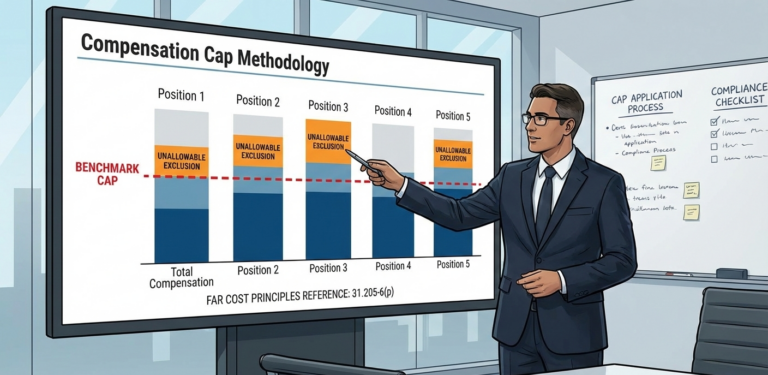
Federal Acquisition Regulation 31.205-6(p), codified at 48 CFR 31.205-6(p), implements these statutory limitations through detailed calculation methodologies and coverage requirements. The regulation defines “compensation” as the total amount of wages, salary, bonuses, deferred compensation, and employer contributions to defined contribution pension plans for the fiscal year, whether paid, earned, or otherwise accruing. FAR 31.205-6(p)(3) specifically identifies covered executives as the Chief Executive Officer and the four most highly compensated employees in management positions at the contractor’s headquarters, creating automatic coverage for senior leadership teams.

10 USC 2324(e)(1)(P) reinforces compensation limitations through its unallowable cost provisions mandating that contractors exclude all compensation exceeding statutory ceilings from government contract cost pools. This statute creates compounding liability where excess compensation flows through multiple indirect cost pools, affecting numerous contracts simultaneously. Violations trigger automatic penalties under FAR 42.709 including the 2% penalty multiplication factor applied to all unallowable costs during the audit period.

Systematic Compensation Calculation Failures

DCAA’s enhanced enforcement protocols have identified seven recurring calculation errors that contractors consistently make when determining executive compensation against statutory ceilings. Total compensation miscalculation represents the most prevalent violation where contractors fail to properly aggregate all compensation components required under FAR 31.205-6(p)(1). Contractors routinely exclude bonuses, deferred compensation accruals, and pension contributions from total compensation calculations, creating systematic underreporting that triggers immediate audit findings and complete cost pool reconstruction requirements.

Deferred compensation treatment violations emerge when contractors improperly exclude or undervalue deferred compensation arrangements in annual compensation calculations. FAR 31.205-6(p)(1) explicitly requires inclusion of deferred compensation whether paid, earned, or otherwise accruing during the fiscal year. Contractors frequently violate this requirement by excluding unvested deferred compensation or future payment obligations, creating material understatements of total executive compensation requiring retroactive adjustments.

Pension contribution calculation errors occur when contractors misclassify or undervalue employer contributions to defined contribution pension plans. The regulation requires full inclusion of employer matching contributions, profit-sharing allocations, and other pension funding obligations in total compensation calculations. DCAA auditors consistently discover systematic pension contribution exclusions requiring comprehensive recalculation of executive compensation levels and contract cost pool adjustments.

Covered executive identification failures emerge when contractors improperly determine which executives fall within the “five most highly compensated” category requiring compensation ceiling application. Contractors frequently exclude executives with compensation structures involving significant deferred or equity components, creating systematic coverage gaps. The determination must include all compensation components defined in FAR 31.205-6(p)(1) regardless of payment timing or form, eliminating contractor ability to manipulate coverage through compensation structure modifications.

Fiscal year alignment violations occur when contractors apply compensation caps using calendar year calculations rather than contractor fiscal year periods. 48 CFR 31.205-6(p) mandates application based on contractor fiscal years, creating potential misalignment for contractors operating on non-calendar year fiscal periods. Systematic fiscal year misalignment creates material calculation errors requiring complete restatement of executive compensation determinations.

Prospective application failures emerge when contractors fail to implement compensation monitoring systems providing advance warning when executives approach statutory ceilings. Contractors lacking prospective controls frequently discover ceiling violations retrospectively during annual incurred cost submissions, creating unallowable cost findings requiring immediate contract adjustments and cash flow corrections. DCAA compliance requirements mandate prospective monitoring systems preventing ceiling violations through advance identification and cost segregation procedures.

Multi-year deferred compensation allocation errors round out common violations where contractors improperly allocate multi-year deferred compensation arrangements across fiscal periods. FAR 31.205-6(p)(1) requires inclusion of deferred compensation in the fiscal year when earned or accrued, regardless of actual payment timing. Contractors frequently violate this requirement through improper amortization or payment-date recognition creating systematic temporal mismatches requiring comprehensive correction.

Step-by-Step Compliance Requirements for Compensation Cap Application

Step 1: Implement Comprehensive Compensation Tracking Systems Deploy automated compensation monitoring systems tracking all executive compensation components including base salary, bonuses, deferred compensation accruals, and pension contributions on a monthly basis. Configure systems to aggregate all compensation elements defined in FAR 31.205-6(p)(1) regardless of payment timing or accounting treatment. Establish automatic flagging procedures when executive compensation reaches 80% of statutory ceilings providing advance warning before violations occur.

Step 2: Establish Executive Identification and Coverage Procedures Create systematic procedures for identifying the five most highly compensated executives requiring compensation ceiling application based on total compensation calculations including all deferred and pension components. Conduct quarterly reviews of executive compensation rankings ensuring proper coverage determination as compensation structures evolve throughout fiscal years. Maintain comprehensive documentation supporting executive identification decisions including detailed compensation component analysis and management approval procedures.

Step 3: Deploy Deferred Compensation Valuation Methodologies Implement detailed procedures for valuing all deferred compensation arrangements including unvested awards, future payment obligations, and contingent compensation structures. Develop systematic methodologies for determining when deferred compensation is “earned or accrued” under FAR 31.205-6(p)(1) requirements with proper accounting policy documentation and legal analysis supporting temporal recognition decisions. Create comprehensive audit trails demonstrating deferred compensation valuation calculations and fiscal year allocation determinations.

Step 4: Create Pension Contribution Monitoring Controls Establish systematic procedures for tracking and valuing all employer pension contributions including matching contributions, profit-sharing allocations, and supplemental retirement funding. Implement monthly reconciliation procedures ensuring complete pension contribution inclusion in executive compensation calculations with proper segregation of defined contribution versus defined benefit plan treatments. Maintain detailed documentation supporting pension contribution calculations and executive compensation impact assessments.

Step 5: Implement Prospective Ceiling Compliance Procedures Deploy prospective monitoring systems providing monthly executive compensation status reports comparing year-to-date totals against statutory ceilings with forward-looking projections incorporating planned bonuses, deferred compensation accruals, and pension contributions. Establish automatic segregation procedures transferring excess compensation to unallowable cost accounts immediately upon ceiling breach with proper documentation supporting regulatory compliance. Conduct quarterly management reviews of executive compensation status with formal certifications supporting ceiling compliance and proper cost accounting treatment.

Financial Impact Analysis: Compliance Investment vs. Violation Consequences

The financial analysis for executive compensation cap compliance demonstrates overwhelming advantages for prospective monitoring systems over violation remediation costs. Comprehensive compensation tracking systems including automated monitoring, deferred compensation valuation procedures, and pension contribution controls typically cost $150,000 to $285,000 for initial implementation with ongoing annual maintenance costs of $45,000 to $75,000 for system updates and quarterly compliance reviews.

Executive compensation ceiling violations create exponentially higher financial exposure through automatic unallowable cost penalties and contract modification requirements. A contractor with three executives exceeding compensation ceilings by average amounts of $125,000 annually faces immediate unallowable costs of $375,000 per year. Over typical three-year audit periods, total unallowable costs reach $1.125 million before application of the mandatory 2% penalty multiplication factor under FAR 42.709.

The penalty multiplication effect applies to contractor total eligible costs during violation periods, creating compound exposure far exceeding initial unallowable amounts. A contractor with $300 million in annual eligible costs facing $1.125 million in compensation ceiling violations automatically incurs additional penalties of $6 million under the 2% factor, creating total exposure of $7.125 million. These penalties are unallowable and must be absorbed by contractors creating severe financial stress during challenging audit periods.

Contract modification requirements for compensation ceiling violations generate additional administrative costs averaging $85,000 per affected agreement while creating immediate cash flow disruptions requiring contractor funding. Professional services costs for violation remediation including legal representation, forensic compensation analysis, and cost accounting system reconstruction typically exceed $950,000 for major findings requiring comprehensive compensation calculation restatements.

False Claims Act liability emerges when contractors submit invoices including unallowable excess compensation in billed amounts. Civil monetary penalties under 31 USC 3729 range from $13,508 to $27,018 per violation with treble damages applied to all questioned costs. Each invoice submission containing excess compensation constitutes separate violation, creating cumulative exposure frequently exceeding $25 million for systematic compensation ceiling violations spanning multiple fiscal years.

Suspension and debarment procedures triggered by intentional or reckless compensation ceiling violations eliminate future contracting opportunities worth hundreds of millions annually for major contractors. Government agencies maintain contractor responsibility databases flagging compensation violations resulting in competitive disadvantages lasting 5-7 years following resolution. The long-term financial impact often exceeds immediate penalty assessments by substantial margins affecting contractor market positioning and competitive viability.

Multi-Jurisdictional Application and Uniform Federal Requirements

Executive compensation ceiling requirements apply uniformly across all federal agencies and geographic jurisdictions regardless of contractor location or contract performance sites. Federal cost principles supersede state compensation regulations creating consistent national compliance obligations eliminating contractor ability to leverage favorable state-specific executive compensation treatments. This uniform application extends to international operations where contractors must demonstrate ceiling compliance regardless of foreign subsidiary structures or international compensation standards.

Contractors operating multi-state facilities face coordinated DCAA enforcement where regional audit offices share executive compensation information and coordinate violation assessments to maximize recovery across all contractor locations. The compensation ceiling applies to contractor-wide executive teams rather than individual facilities, creating aggregate exposure that increases with contractor organizational complexity and geographic distribution.

Multi-agency coordination occurs through standardized DCAA audit procedures ensuring consistent compensation ceiling application across Department of Defense, civilian agencies, and NASA contracts. Contractors with diversified federal portfolios face simultaneous violation assessment across all agencies when compensation ceiling breaches are discovered, eliminating contractor ability to segment compliance by customer or contract type.

State-level enforcement occurs through state false claims acts paralleling federal provisions where contractors maintain operations in California, New York, Texas, and other states with independent false claims legislation. Multi-state contractors face coordinated enforcement actions where state attorneys general pursue additional penalties for compensation ceiling violations affecting state-funded contracts, creating cumulative liability exposure across multiple jurisdictions.

DCAA’s Strategic Compensation Cap Enforcement Focus

DCAA’s 2025 enforcement strategy explicitly identifies executive compensation ceiling violations as high-priority enforcement targets requiring enhanced scrutiny and immediate penalty assessment for all qualifying violations. This strategic focus eliminates historical contractor reliance on negotiated settlements or penalty waivers that previously reduced financial exposure from compensation violations. Current enforcement data demonstrates 100% penalty assessment rates for contractors with compensation ceiling violations regardless of violation magnitude or contractor cooperation levels.

The agency’s automated compensation analysis systems eliminate human discretion in violation identification ensuring consistent ceiling application across all contractor categories and compensation structures. DCAA auditors receive specialized training emphasizing comprehensive compensation component identification including deferred compensation valuation and pension contribution analysis, eliminating contractor ability to disguise excess compensation through complex compensation structures.

Contractors maintaining proactive compensation monitoring systems demonstrate violation rates 88% lower than reactive organizations lacking prospective ceiling compliance procedures. This performance differential reflects critical importance of prevention-focused strategies over remediation-based approaches that have proven inadequate under current enforcement intensity.

The executive compensation ceiling enforcement landscape represents permanent escalation in DCAA methodology requiring immediate contractor adaptation to prospective monitoring systems and comprehensive compensation component aggregation. Contractors failing to implement systematic ceiling compliance procedures face inevitable financial consequences threatening organizational viability and competitive positioning in federal contracting markets.